


Generative AI already writes alongside us, more than we tend to admit. In the Anthropic Economic Index, writing and editing make up the second-largest category of Claude use — around 10% of conversations, just behind code, with fiction well represented. For a writer, that's a remarkable opportunity: a tireless reader, an editor on call, a partner at any hour. It is also a risk to the practice itself, and to whether it lasts.
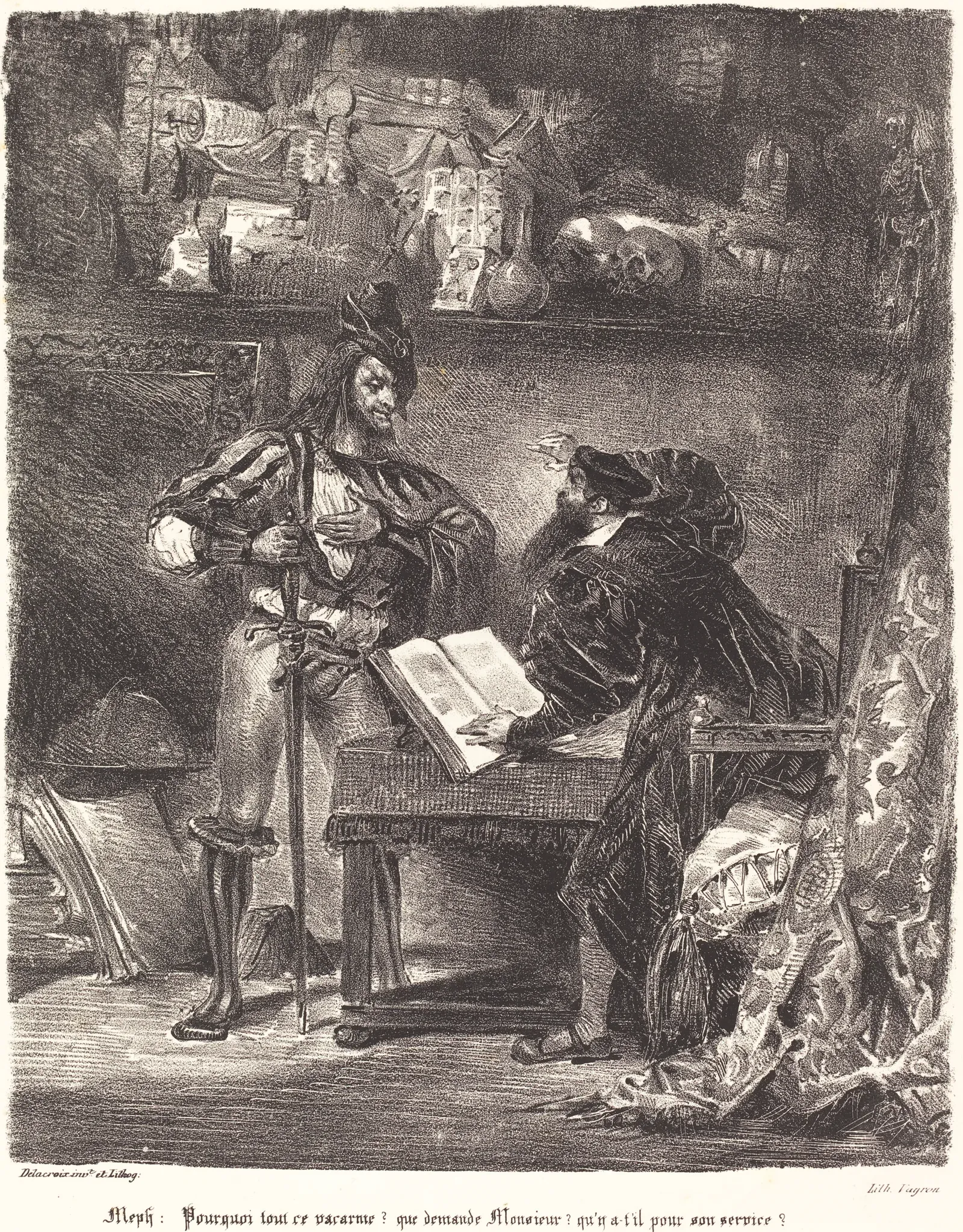
Literature knows this kind of alliance well. Faust signs a pact with Mephistopheles that promises him knowledge and the world, provided he gives up one thing in return. AI makes much the same offer, more quietly: it finishes your sentences, offers the next paragraph, and slides the manuscript out of your hands and into its own before you notice. There's much to gain in writing with it; there's just as much to lose — the voice, the craft, the pleasure of having found it yourself. The question isn't whether to welcome AI or refuse it, but which red lines to draw and then hold.
The first allows no exception: the AI never writes or rewrites your manuscript. Once that line is drawn, once the manuscript is made a sanctuary, nearly everything else opens up. Organizing your notes, keeping your research in order, rereading, training in the techniques of writing: there's a great deal to take there. One concrete difficulty remains. For the AI to genuinely help, it still has to navigate efficiently through the mass of text a project amounts to.
This is part of why Inklyne was built the way it was. The red line, first: in Inklyne, the manuscript is typed. If text is pasted or imported from elsewhere, it's marked as such — you stay responsible for what comes in. The manuscript is a fortress, and the AI doesn't breach its walls. Around it, doors open: marked paths along which the assistant comes to read your project and produce what surrounds it — feedback, leads, notes that file themselves a certain way. You help it build the city around the fortress, and feed it. That is the whole point of the connector: it doesn't touch your manuscript, but it puts everything else in order.
Two examples make it concrete, without claiming to be exhaustive: your research notes kept in order, where they already live; and structured feedback on one of your stories — Inklyne's prima lectio — which files itself back into your workspace. Without the connector, that material ends up scattered across chat threads you never reopen. In practice, you connect the assistant you already use — Claude, say — to Inklyne, and it works with your project on your terms, never beyond them. How that works, and under what guarantees, is what follows.
Keeping your research notes in order
Every writing project comes with a mass of notes: character sketches, place files, research you've gathered, fragments of an outline, a line caught on the fly. In Inklyne, all of it lives in the project's notebook. The connector lets Claude work there with you — not to read them in your place, but to help you keep them in order.
You think aloud with Claude, and it files the good parts straight into the right project's notebook — no copying, no pasting, no switching windows. You ask it to gather a dozen scattered research notes into a single clear brief, to pull together everything about one character, to tighten a note that has grown muddled. Loose thinking on one side, a structured notebook on the other, and between them an assistant that sorts when you ask it to. None of this touches your manuscript: it organises your notes, it does not write your pages.
Structured feedback on your story
The other use is bigger, and newer. Claude can now read one of your stories end to end and give you a full editorial read on it — what Inklyne calls a prima lectio.
A prima lectio — a "first reading" — is Inklyne's structured editorial pass over a story: a close, honest look at what it's really about, how its structure and pacing hold up, whether its scenes earn their place, whether its characters live, and how its prose actually reads. It's the read you'd want from a sharp editor before you start revising. Inklyne can produce one for you on its own servers; now you can have the Claude you're already talking to produce it instead.
The flow is deliberate, and Claude walks it in order:
- It lists the stories eligible for analysis — your novels and short-story collections — and asks you to pick one. It won't guess.
- It pulls the full text of that story, with every paragraph numbered, so its observations can point to exact passages rather than vague impressions.
- It pulls Inklyne's own analysis brief — the same instructions and structure the in-app version follows — so the result is shaped like a native one.
- It reads the whole thing and writes the analysis, citing specific paragraphs, scenes, and characters.
- It files the finished analysis back into Inklyne, where it appears on that story's review screen exactly like one Inklyne ran itself — clearly labelled as produced outside the app.
What makes this more than a shortcut is that the reading happens inside the Claude you are already talking to. The story stays open to conversation in the same breath: you can press back on a verdict, ask it to look harder at the sagging second act, make it reconsider a character it judged too gently. The analysis stops being a report handed down and becomes something argued out. And because the reasoning runs in your own Claude rather than on Inklyne's servers, it draws on no part of the analysis allowance included in your plan. You supply the reading; Inklyne files the result beside every other analysis of the story.
An AI that never writes for you
We said it at the outset: the assistant helps, it does not write in your place. Here, concretely, is how that line holds — even when the assistant lives outside the app.
There is no tool in it that can change a word of your manuscript. Claude can read a story — to analyse it, to argue it over with you — but it has no way to rewrite a single sentence of it. And whatever it does produce is marked as its own: any note Claude writes is flagged as AI-written in your notebook, and every analysis it returns is stamped on the review screen as externally produced — so you can always tell its hand from yours.
This is the deeper value of routing your own Claude through Inklyne, rather than talking to it in a blank window. The assistant supplies the reasoning; Inklyne supplies everything that makes that reasoning trustworthy and lasting — the structure that holds your projects and notes; the prima lectio method and its schema, so an outside model returns a native-shaped analysis instead of loose remarks; and the guarantee that none of it ever touches the text itself. Inklyne does more than organise your records. It is the place that keeps your writing yours.
The connection works like the "Sign in and allow access" flow you've approved for countless other apps. You open a few named rooms to Claude — your notes, your stories, the screen where analyses are filed — and nothing else: not your password, not your billing, none of the corners of your account you didn't approve. And you revoke that access whenever you like, from your Inklyne account; the moment you do, the connection stops working. The detail of these permissions, room by room, lives in the setup guide.
You're not handing your writing over. You're lending a key to a few specific rooms, with the right to ask for it back.
What's coming next
The notebook was the first door, the prima lectio the second. Two more evolutions are already on our roadmap.
Beyond reading — your momentum. The connector can now read a story and file an analysis. Next, we want it to reach the part of Inklyne that actually keeps you writing: your sessions, your objectives, your streaks. Picture asking Claude to log the session you just finished, or tell you how many days are left on this month's commitment — and feel the same nudge toward the page, without leaving the conversation.
One connection, fewer clicks. Right now you connect by pasting a URL — the setup guide walks you through it, and it takes a couple of minutes. We're working to list Inklyne in Claude's connector directory, so that adding it becomes a single click rather than a copy-and-paste. And because MCP is an open standard rather than one company's feature, that same connection is designed to meet you in more of the places you already write, as support for the protocol spreads.
The thread tying all of this together is simple. Keep your notes, your manuscript, and your motivation in one place — and let the assistant you already talk to reach them, precisely when it helps and never further than you allow. The notebook was the first door. More are opening.